
FileMaker to Web App
Lower Hosting & Licensing Costs.
FileMaker is Expensive
FileMaker can get expensive fast especially as your team grows. Licensing is typically per-user, and pricing has a history of trending upward over time, which makes budgeting harder year after year.
On top of that, once you start adding “extras” to keep the system modern like integrating new services or introducing products like FileMaker Connect the total cost of ownership can climb again.
Hosting is another pressure point: you may be steered toward vendor-approved options and limited in how (and where) you deploy, which can restrict third-party hosting choices and reduce flexibility.
FileMaker WebDirect per-user pricing for what is essentially a web page/portal experience is often excessive, making customer-facing portals difficult to afford at scale.
The end result is a platform that can work well, but often comes with compounding costs and tighter constraints than a typical open web stack.
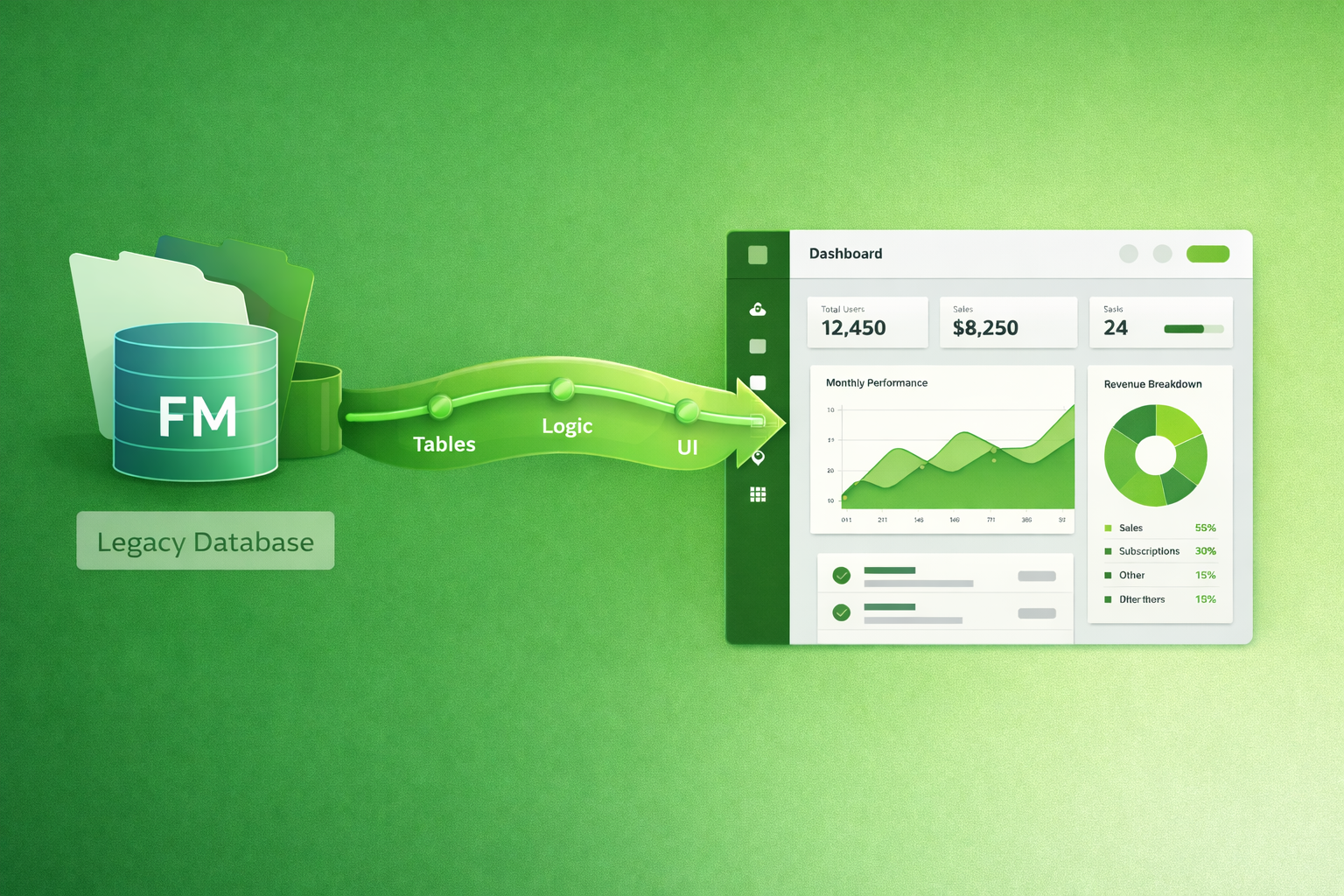
FileMaker Alternative is Open Source
Open-source web apps typically cost less over time because you’re not paying per-user licensing, WebDirect-style access fees, or getting pushed into higher tiers as more customers need portal access.
You also avoid surprise “add-on” costs as you modernize (for example, when you need new integrations or additional products added to the stack), and you’re less exposed to pricing that keeps going up over the years.
Most importantly, you get more control: choose your hosting, your database, your integrations, and your upgrade schedule—without restrictions that can limit third-party hosting options.
If you ever want to switch developers or bring maintenance in-house, you can do it without being locked into a proprietary platform.
Xanadu is like Open Source "FileMaker"
- PHP: Server-side logic for forms, authentication, and business rules.
- MySQL: A reliable relational database to store and query your data efficiently.
- Bootstrap: Responsive UI components so the app looks great on desktop and mobile.
- JavaScript: Interactive behavior in the browser (tables, portals, validation, dynamic UX).
- CSS: Custom styling to match your brand and polish the user experience.
- NGINX: Fast, secure web hosting and reverse proxy for deployment.
- GoLang + Wails: Optional desktop app packaging when you want an installable client with web tech UI.
Xanadu Is Open Source
Xanadu is fully open source on GitHub, which means you can inspect the code, contribute improvements, and keep control of your long-term roadmap.
You are not locked into per-user licensing or proprietary hosting, and you can deploy where it makes sense for your business.
Want to self-host, use a preferred cloud provider, or bring maintenance in-house? You can.
The result is a modern web app stack with transparency, flexibility, and predictable costs.
Xanadu Overview (Update coming soon...)
FileMaker to Xanadu Conversion Payoff Date Ballpark
Actual costs depend on scope, integrations, data cleanup, and hosting tier.
FileMaker Conversion Steps
- Dump Tables from FileMaker: Use FMDump to export FileMaker tables to SQL.
- Import Dump to MySQL: Initial Import of FMDump files into MySQL into Source tables with the prefix "zzImport". Create new or use existing Target tables.
- Define Data Migration: Use FMMassage to Define Column and Data Massages. Copy MySQL and PHP generated code to Khan Import. Repeatable for debugging. FMMassage was called FMDumpMigrator, previously.
- Massage Columns: Use Xanadu Khan to process FMMassage Column ALTER TABLE statements.
- Import MySQL Tables: Use Xanadu Khan to Insert Records from each zzImport Table into the actual Tables.
- Massage Data: Use Xanadu Khan to process FMMassage Data Massages.
- Generate Initial Schema: Use Xanadu Schema Update to generate the initial schema for the new Tables.
- Update Schema: Use Xanadu Schema Table to manually update the schema with any additional changes.
- Generate Modules: Use Xanadu Khan to generate the initial modules for the new Tables from the Xanadu Schema Table.
- Test: Test during the process and afterward.
- Add Logic: Add GUI and business logic such as Dashboards, Forms, Reports, Custom Functions, Value Lists. Simple is easy. Complex is work.
Our Workflow
- Talk About Needs: We review goals, constraints, timelines, and success criteria so we’re aligned before estimating.
- Send Ballpark Estimate And Invoice Retainer: You get a rough range and a retainer invoice to reserve time and start discovery.
- Wait For Funding: Work begins once the retainer is paid and scheduling is confirmed.
- Develop: We implement the agreed scope, share progress updates, and adjust as we learn.
- Demo: We walk through what’s built, capture feedback, and confirm the next steps.
- Send Invoice With Retainer Balance: We apply the retainer and invoice the remaining balance based on delivered work.
- Repeat As Needed: Iterate in small, practical cycles to add features, refine UX, and improve performance.
How We Can Help
- Requirements Discovery and System Design: We clarify goals, constraints, and workflows, then map them into a practical plan (features, priorities, and a build approach).
- Data Modeling, Cleanup, and Migration Planning: We design clean tables and relationships, clean up messy data, and plan migrations so your app starts with a solid foundation.
- Custom Development, Testing, and Deployment: We build the app, add the right level of testing, and deploy to production with a repeatable process.
- Ongoing Support, Coaching, and Iterative Improvements: After launch, we help with fixes, enhancements, and coaching so the system keeps improving as needs evolve.
- User Experience and Workflow Cleanup: We streamline screens and clicks so the app matches how your team actually works (less “where do I click?” and more “done”).
- Integrations and Automation: We connect your app to third-party services (payment providers, CRMs, email/SMS, accounting) using APIs and webhooks, so data flows automatically.
- Login, Roles, and Permissions: We set up secure authentication and role-based access (admin vs. staff vs. customer) so people only see and do what they should.
- Performance Tuning and Database Optimization: We speed things up by improving queries, indexes, and caching especially helpful when datasets grow or reports get heavy.
- Deployment, Hosting, and Monitoring Setup: We can handle environment setup (dev/stage/prod), automated deployments, backups, and uptime/health monitoring so launch day is boring (the best kind).
- Testing and Quality Assurance: We build a lightweight testing approach (smoke tests, regression checks, and targeted automated tests) to prevent “it worked yesterday” surprises.
- Analytics, Logging, and Debugging Tools: We add useful logs and metrics (what happened, when, and why) so issues are easier to reproduce and fix quickly.
- Documentation and Team Handoff: We provide short, practical docs how to run it, how to deploy it, and how to support it so your team isn’t dependent on tribal knowledge.
- Maintenance, Refactoring, and Tech Debt Cleanup: We improve existing code safely over time (clearer structure, fewer edge-case bugs), which makes future changes faster and cheaper.
Areas of Expertise
We specialize in a diverse range of programming languages and technologies that empower modern development.
 PHP
PHP
 MySQL
MySQL
 Bootstrap
 JavaScript
 CSS
CSS
 NGINX
NGINX
 FileMaker
 Xojo
Xojo
 GoLang
 Wails
Wails
 Python
Ready to Talk?
Tell us about your project and we’ll outline the fastest, most practical path forward.
Start a Project